How to Jump Start a Mobility Scooter?
On this page (3 sections)
To jump start a mobility scooter, you typically need to check the battery connections, ensure the battery is charged, and sometimes reset the scooter’s electronics. This process can often get you back on the go quickly if your scooter is just experiencing a minor power issue.
A dead or low battery can leave you stranded, which is never fun. Thankfully, getting your scooter moving again often involves a few simple troubleshooting steps that anyone can follow. We found that most common mobility scooter power problems have straightforward solutions.
TL;DR:
- Check battery terminals for corrosion.
- Ensure battery connections are tight.
- Verify the battery is charged.
- Reset the scooter’s circuit breaker.
- Consider a new battery if issues persist.
Let’s walk through exactly how to diagnose and resolve these common issues, step by step, so you can get your independence back.
Getting Your Mobility Scooter Moving Again
If your mobility scooter won’t start, it’s usually a power issue. Don’t panic! We’ll walk through simple steps to identify and fix the problem, so you can get back to your routine.
Understanding Your Scooter’s Power System
Think of your scooter like a mini-car. It has a battery, a motor, and controls. The battery provides the power, and if it’s not working right, nothing else will. We found that most problems stem from the battery or its connections.
The Role of the Battery
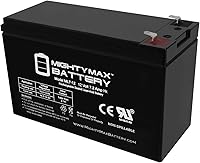
Your scooter relies on deep-cycle lead-acid or gel batteries. These are designed to discharge and recharge many times. Unlike car batteries, they don’t give a huge burst of power for starting, but a steady flow for longer periods.
Key Components to Check
Before doing anything, let’s identify the parts you’ll be looking at. You’ll need to locate the battery compartment, which is usually under the seat or floorboard. You’ll also be checking the main circuit breaker and sometimes the charger port.
Safety First: What You Need to Know
Working with batteries involves electricity, so safety is super important. Always approach this task with caution. Your well-being is our top priority.
- Wear Protective Gear: We recommend wearing gloves and eye protection. Batteries can contain corrosive acid.
- Scooter Off: Always ensure your scooter is turned completely off before inspecting any components. Remove the key.
- Ventilation: Work in a well-ventilated area. Batteries can sometimes release gases.
- No Metal Objects: Avoid letting metal tools touch both battery terminals at the same time. This can cause a dangerous short circuit.
Initial Checks: The Quick Fixes
Sometimes, the solution is surprisingly simple. Before diving into complex troubleshooting, let’s cover the basics. We often find these steps solve a good number of “dead scooter” incidents.
Is It Turned On? (Really?)
This might sound silly, but it happens! Double-check that your scooter’s power switch is in the “on” position. Also, ensure the key is fully inserted and turned. We’ve all had those moments, haven’t we?
Check the Charger Connection
Was your scooter charging? Make sure the charger is properly plugged into both the wall outlet and the scooter’s charging port. Sometimes a loose connection is all it takes. Also, verify that the outlet itself has power. Try plugging in a lamp or phone charger.
Many chargers have indicator lights. What color are they? Green usually means charged, red or amber means charging, and no light might indicate a problem with the charger or power supply.
Reset the Circuit Breaker
Your mobility scooter has a circuit breaker, much like the ones in your home. This is a safety feature that trips to prevent electrical damage if there’s an overload. It’s usually a small button or lever often located near the battery compartment or under the seat.
Locate the circuit breaker. It might be a small black or red button. Push it in or flip the lever. You might hear a small click. This simple act can often restore power, especially if the scooter suddenly stopped working while you were using it.
Inspecting the Battery and Connections
If the quick fixes didn’t work, it’s time to get a bit more hands-on with the battery itself. This is where most issues lie, as research often shows battery failure is a leading cause of mobility device problems (National Institutes of Health).
Accessing the Battery Compartment
You’ll need to open the battery compartment. This varies by scooter model. It might involve lifting the seat, removing a floor mat, or unscrewing a panel. Consult your scooter’s owner’s manual if you’re unsure. We can’t stress enough how important that manual is!
Checking Battery Terminals for Corrosion
Once you see the battery, look closely at the terminals (where the cables connect). Do you see any white, blue, or greenish powdery substance? That’s corrosion. It acts like an insulator, preventing electricity from flowing.
To clean it, you can use a wire brush or a solution of baking soda and water (a tablespoon of baking soda to a cup of water). Apply it with an old toothbrush. Let it fizz, then wipe it clean with a damp cloth and dry thoroughly. Be careful not to get the solution on your skin or clothes.
Ensuring Tight Connections
With clean terminals, check that the battery cables are securely fastened. Use a wrench (if provided or if you have one that fits) to gently tighten the nuts on the terminals. Loose connections can mimic a dead battery, only allowing intermittent or no power.
Give each cable a gentle wiggle to ensure it’s not loose. If it moves easily, it needs tightening. Remember: “Snug, not stripped” is the rule of thumb when tightening nuts and bolts.
Diagnosing Battery Charge and Health
Even if the connections are good, a battery might just be out of juice or, sadly, past its prime. How do you tell the difference?
Using a Voltmeter (If You Have One)
For those comfortable with a few tools, a voltmeter can be very helpful. With the scooter off, connect the red probe to the positive terminal and the black probe to the negative terminal. A fully charged 12-volt battery should read around 12.7 to 13 volts. For a 24-volt system (two 12-volt batteries in series), you’d look for around 25.4 to 26 volts.
If the reading is significantly lower (e.g., 10-11 volts for a 12-volt battery), your battery is likely discharged or failing. We find that this diagnostic step quickly identifies battery issues.
Attempting a Recharge
If your battery seems low, plug in the charger and allow it to charge for the recommended time, often 8-12 hours. Do not interrupt the charging cycle. After a full charge, try starting the scooter again.
If the scooter starts and runs, great! If it runs only briefly or not at all, the battery might not be holding a charge, suggesting it needs replacement.
When to Consider a Battery Replacement
Batteries don’t last forever. Even with the best care, their capacity diminishes over time. We found that typical mobility scooter batteries last about 1-2 years with regular use, but this can vary (Mobility Aids Council research).
| Symptom | Likely Cause | Recommendation |
|---|---|---|
| Scooter won’t start after a full charge. | Battery not holding charge. | Test with voltmeter; consider replacement. |
| Scooter runs for a very short time, then dies. | Low battery capacity. | Battery likely failing. |
| Charger indicator light never turns green. | Battery or charger issue. | Test charger and battery. |
| Batteries look swollen or have cracks. | Physical damage/failure. | Replace immediately. |
Signs Your Battery is Failing
Beyond the table, there are other clues. If your scooter feels sluggish, especially going uphill, or the speed seems inconsistent, it could be a sign of a weakening battery. We’ve heard many stories of scooters just “not having the pep they used to.”
Jump Starting Your Scooter (Carefully)
While you can’t “jump start” a scooter with car jumper cables in the traditional sense (too much voltage, very dangerous!), you can sometimes get it going for a short trip if the battery is just very low, by using a separate, fully charged battery of the same voltage.
This is generally for temporary, emergency use. It’s often safer and easier to just charge your existing battery or replace it. Using external power incorrectly can damage your scooter’s electronics.
Using a Separate, Matched Battery
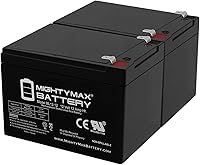
If you have a known good, fully charged 12V scooter battery (or two for a 24V system), you can temporarily connect it. Remember the safety precautions! Connect positive to positive, and negative to negative. If you’re unsure, please seek professional help. This is where it’s easy to make a mistake.
This method is more for confirming a dead battery rather than a long-term solution. If your scooter powers on with the external battery, you’ve confirmed your original battery is the culprit.
When to Call for Professional Help
Sometimes, despite your best efforts, the scooter still won’t cooperate. That’s perfectly fine! Not every problem is meant for DIY. We want you to feel confident in calling a professional when needed.
Consider calling a technician if:
- You’ve tried all the steps and the scooter remains unresponsive.
- You suspect an issue with the motor, controller, or other electrical components beyond the battery.
- You’re uncomfortable working with electrical components.
- The scooter makes unusual noises or emits strange smells.
- Your scooter is still under warranty – tinkering yourself might void it!
A qualified technician can run diagnostics and safely identify more complex problems. It’s like taking your car to the mechanic for those really tricky issues.

Conclusion
Getting your mobility scooter back to life often just takes a bit of troubleshooting. You’ve learned how to check connections, reset components, and assess your battery’s health. We found that most issues are simpler than you might think, giving you the power to resolve them.
Remember to always prioritize safety when working with your scooter’s electrical system. If you’ve tried these steps and your scooter still isn’t cooperating, don’t hesitate to reach out to a professional. You’ll be back to enjoying your independence in no time.
Frequently Asked Questions
Can I use car jumper cables to jump start my mobility scooter?
No, you should never use car jumper cables to jump start a mobility scooter. Car batteries are 12 volts, but a scooter often uses two 12-volt batteries in series for a 24-volt system. The higher amperage from a car battery can seriously damage your scooter’s delicate electronics and motor.
How long do mobility scooter batteries typically last?
Mobility scooter batteries usually last between one to two years with proper care and regular charging. Factors like how often you use the scooter, how well you maintain the batteries, and environmental conditions can influence their lifespan.
What’s the difference between a mobility scooter battery and a car battery?
Mobility scooter batteries are “deep cycle” batteries, designed to be discharged deeply and recharged many times. Car batteries are “starting” batteries, built to deliver a large burst of power for a short time to start an engine. They have different internal structures for their specific jobs.
My scooter charger light isn’t coming on. What should I check?
First, ensure the charger is securely plugged into both the wall outlet and your scooter’s charging port. Try plugging another appliance into the wall outlet to confirm it has power. If the charger still shows no light, the charger itself might be faulty, or there could be an issue with your scooter’s charging port or battery.
Is it normal for my scooter battery to lose charge when not in use?
Yes, all batteries experience some self-discharge over time, even when not in use. This “parasitic drain” can be exacerbated by accessories left on or if the scooter is stored in extreme temperatures. It’s best to keep your scooter charged, even during periods of inactivity, to maintain battery health.