Electric Wheelchair Not Charging: What to Check
If an electric wheelchair is not charging, check the outlet and connections, then match the charger to the chair’s manual. Stop and contact service if the battery or charger is damaged, swollen, unusually hot, or smells odd.
On this page (10 sections)
- What should you check first when an electric wheelchair is not charging?
- How can you tell whether the charger is the problem?
- Could the battery be preventing a charge?
- How do you set up a replacement charger safely?
- What charging mistakes should you avoid?
- What should you check on a Jazzy power chair?
- Is it safe to keep trying to charge?
- Could the outlet or charging routine be the cause?
- When should you contact service?
- What is the safest next step for an electric wheelchair not charging?
If an electric wheelchair is not charging, check its outlet, charger connections, and power switch first. Then confirm the charger matches the chair and inspect for damage; stop and get help if anything overheats, swells, leaks, or looks damaged.
A careful check can identify a simple connection problem without opening the chair or battery compartment. Start with the wall outlet, because a dead outlet can look exactly like a failed charger or battery.
Next, check each connection in the order your manual describes. A plug that is only partly seated may show no light at all, and a bent or cracked connector may need service rather than more force.
Then compare the charger label with the chair instructions. Voltage alone is not enough, since connector shape, output, and battery type also need to match your exact model.
Follow the manual because charging controls, indicator lights, and connection order vary by model. Note what light or message appears, and share those details if you need help from the maker or a qualified service provider.
What should you check first when an electric wheelchair is not charging?
Check the outlet and connections before suspecting a failed battery. Turn the chair off if its manual directs you to, then connect the charger in the stated order and watch for the expected charging indicator.
- Test the outlet with another safe device, or try another outlet.
- Check that the charger is firmly connected to the outlet and chair.
- Look for a loose, bent, cracked, or discolored connector.
- Confirm the chair's power switch and charging port are set as the manual describes.
- Note any charger light or chair display message.
Don't force a plug that doesn't fit. Avoid opening the battery case, bypassing a safety feature, or touching exposed wires.
How can you tell whether the charger is the problem?
Compare the charger's label and connector with the chair manual or manufacturer guidance. A plug that fits is not enough; output, battery type, and model compatibility must also match.
Unplug the charger before inspecting its cable and connector. Stop using it if you find fraying, melted areas, loose parts, or other damage.
If you need a replacement, compare your chair's requirements with a power chair battery charger guide. The Fancy Buying 29V 5A charger has a male 3-pin XLR connector and is specified for lead-acid batteries.
This charger is a fit only when the chair's manual confirms the connector, output, battery type, and compatible model. Skip it if your chair uses a different connector or battery chemistry, or if you cannot verify the match.
The Fancy Buying 29V 2A charger also has a 3-pin XLR connector, but its output differs. It may suit a chair whose instructions specify a compatible 29V 2A charger.
Choose between the two chargers by matching the chair's required output, not by choosing the higher amperage. Do not assume one charger is an upgrade for another.
If the label, model compatibility, or battery type is unclear, ask the chair maker or a qualified service provider before plugging it in.
Could the battery be preventing a charge?
Yes, an old, damaged, or deeply discharged battery can contribute to a charging problem. Check the outlet, connection, charger match, and fault message first, since replacing a battery will not fix a charger or port problem.
Battery age, storage, and charging history may matter, but chair makers set their own service and replacement guidance. If the chair also has reduced range, note that change for the service provider.
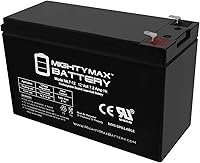
When replacement is recommended, compare the chair's battery requirements with a power chair battery guide. The Mighty Max Battery ML35-12 is a two-pack of 12V, 35Ah sealed lead-acid batteries.
This battery set suits an owner replacing a matching pair in a chair that calls for those dimensions and electrical specifications. It is a poor choice if you need wiring or mounting accessories, since the pack includes batteries and screws only.
Confirm the harness, battery arrangement, and replacement procedure before buying or installing.
For a Jazzy chair, see Jazzy power chair batteries and confirm the exact model and battery requirements. Don't install a replacement unless the chair manual allows user replacement or a qualified technician has confirmed the fit.
How do you set up a replacement charger safely?
Place the chair and charger on a dry, stable surface and follow the model's connection order. Use a clear outlet, keep the cable out of walkways, and avoid pulling the charger by its cord.
Before the first charge, compare the charger label with the chair manual. Check the connector shape, output, battery type, and model compatibility, then inspect the cord and plug for damage.
Connect and disconnect only as the manual directs. Watch for the expected indicator, and keep the charger and chair away from moisture, heat sources, and anything that could pinch the cable.
What charging mistakes should you avoid?
The most common mistake is assuming that a matching plug means a compatible charger. Check all required specifications before use, and don't keep trying a charger that triggers an unexpected light or fault message.
Avoid using another chair's charging routine as a guide. Charging time, overnight guidance, and storage instructions depend on the model and battery.
Don't open the battery case, splice a cable, bypass a safety feature, or use an adapter or extension unless the manual allows it. These shortcuts can damage equipment or create a hazard.
What should you check on a Jazzy power chair?
Use the charging steps and indicator guide for your exact Jazzy model. Instructions can differ, so a general procedure may not match your chair.
Keep the chair in the mode the manual specifies for charging. Some models need the power switch in a particular position before the charger will be recognized.
Check whether the charger light changes after connection, and look for a message or indicator on the chair. A steady light, a flashing light, and no light can each point to a different next step.
Make sure the XLR plug is fully seated without forcing it. If the port feels loose, looks damaged, or gives an unexpected fault message, stop and get advice before trying again.
If your Jazzy power chair is not charging, do not repeatedly connect and disconnect a charger that seems incompatible. Pride or an authorized service provider can help identify whether the charger, battery, or chair needs attention.
That guidance is especially useful when you rely on the chair every day. A quick model check can save time and avoid using a charger that does not match your chair.
Is it safe to keep trying to charge?
Stop if you notice heat, swelling, leakage, an unusual smell, sparks, or visible damage. If safe, unplug the charger from the outlet without touching damaged areas, then contact the chair maker or a qualified service provider.
Keep charging equipment dry and away from heat. Don't charge a battery that appears damaged, and don't use an extension or adapter unless the manual permits it.
If you rely on the chair for mobility, arrange another way to get around while it is out of service. Don't attempt a repair that requires opening the battery or electrical system.
Could the outlet or charging routine be the cause?
A dead outlet, incomplete connection, or routine that differs from the manual can prevent charging. Try a known working outlet and follow the chair's instructions for connecting and disconnecting the charger.
Electric wheelchairs do need to be charged, but how often depends on the chair, battery, and use. Follow the model's instructions for charging after use, overnight charging, and storage rather than applying one routine to every power chair.
A mobility scooter has its own charging steps and indicators. If you also use one, our guide to why a mobility scooter is not charging covers checks for that device.
When should you contact service?
Contact the chair maker or a qualified service provider if the correct charger and outlet don't resolve the issue. Also get help for repeated fault messages, damaged ports, or batteries that show signs of damage.
Share the chair model, charger label details, what the indicator does, and when the problem began. Those details help service staff narrow down the cause.
If you rely on a mobility scooter as well, its charger requirements are separate from a power chair's. See mobility scooters with fast charging for scooter-specific options, not as a guide to power chair charging.
What is the safest next step for an electric wheelchair not charging?
For an electric wheelchair not charging, start with the outlet and connections, then verify charger compatibility. If those checks don't help, contact service before replacing a battery or attempting a repair.
Choose the Fancy Buying 29V 5A charger only if your manual calls for its lead-acid battery compatibility, connector, and output. Choose the 29V 2A version only when those specifications match your chair.
Consider the Mighty Max battery set only after confirming the required battery type, dimensions, and installation method.
Stop if anything is damaged, unusually hot, swollen, leaking, or giving off an odd smell. Your chair manual and manufacturer are the right guides for model-specific charging steps.
Frequently asked questions
Do electric wheelchairs need to be charged?
Yes, electric wheelchairs need charging to replenish their batteries. Follow the chair and battery instructions for when and how long to charge, and use a charger approved for that model.
Charging habits and storage guidance can vary, so don't rely on a schedule from another chair.
Why is my Jazzy power chair not charging?
A Jazzy power chair may not charge because of a loose connection, an outlet issue, a charger that does not match the chair, or a battery that needs service. Check the manual for the charging port and indicator behavior, then contact Pride or a service provider if the problem remains.
Can I use any 24V charger on an electric wheelchair?
No. The voltage label alone does not confirm a charger is suitable.
Match the charger's connector, output, battery type, and model compatibility to the chair instructions, and ask the manufacturer or a qualified service provider if any detail is unclear.
When should I stop trying to charge a power chair?
Stop charging if the battery or charger becomes unusually hot, smells odd, leaks, or looks swollen, or if the cable or connector is damaged. Unplug it if you can do so safely and contact the chair maker or a qualified service provider for next steps.