
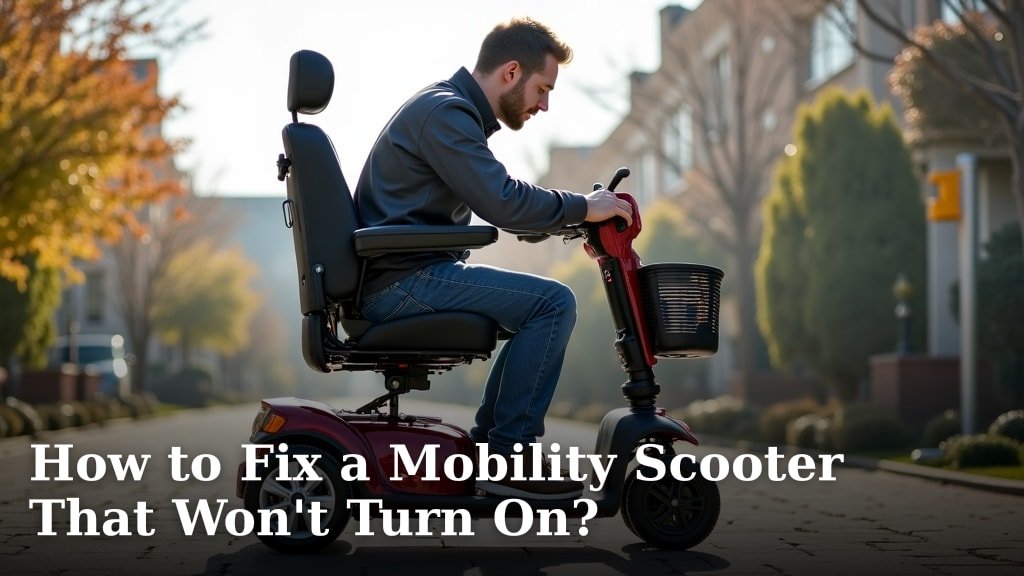
If your mobility scooter suddenly won’t turn on, don’t panic! Most of the time, fixing a mobility scooter that won’t turn on involves checking the battery charge, ensuring the key is in the right position, or looking at the power switch. These simple steps often solve the problem quickly.
It can be really frustrating when your scooter is out of commission. We’ve found that many common issues, like a scooter that shows no signs of life, are often due to easily overlooked connections or power sources. Understanding these common culprits can save you a lot of hassle and get you back on the move sooner than you think.
- Check if your battery is fully charged.
- Make sure the scooter key is properly inserted and turned.
- Inspect the power switch for any visible damage.
- Verify the scooter is in freewheel mode (if applicable).
- Look for any tripped circuit breakers or blown fuses.
Ready to get your scooter humming again? Let’s walk through the common causes and how to fix them step by step.
“`htmlTroubleshooting Your Mobility Scooter: When It Won’t Power On
It’s a really common situation. Your trusty mobility scooter refuses to start. You push the button, you turn the key, and… nothing. It’s like a silent protest from your wheels. Don’t get discouraged just yet! Most of the time, this is a fixable problem. We’ve found that a few simple checks can get you rolling again pretty quickly.
First Steps: The Obvious Checks
Before we dive into more technical bits, let’s cover the basics. These are the most frequent reasons why a scooter might seem dead.
1. Is Your Battery Truly Charged?
This is the number one culprit. It sounds simple, but it’s easy to overlook. Did you remember to plug it in? Is the charging light on your charger showing it’s actually charging, or is it green (meaning fully charged, or no connection)?
Many modern scooters have a charging indicator light on the scooter itself, or on the charger. Make sure this light is on and indicates charging. If it’s off or blinking oddly, you might have a charger issue or a connection problem.
We recommend charging your scooter overnight whenever possible. This ensures a full charge. Low batteries can sometimes prevent the scooter from powering on at all. Think of it like your phone; if it’s dead, you have to plug it in before it can do anything.
Checking the Charger Connection
Ensure the charger is plugged securely into both the wall outlet and the scooter’s charging port. Sometimes, a loose connection is all it takes. Wiggle them gently to ensure they are snug.
2. The Scooter Key: Is It Doing Its Job?
Your ignition key is the gatekeeper to your scooter’s power. It needs to be in the correct position to signal the scooter to turn on.
Make sure you’re turning the key all the way to the ‘on’ position. Sometimes, it can feel like it’s in, but it hasn’t clicked into place. Try gently turning it back and then forward again. If your key looks worn or damaged, it might not be making proper contact.
Key Troubleshooting Tips
- Try a spare key if you have one. This rules out a faulty key.
- Check the ignition switch itself. Are there any visible obstructions or damage?
3. The Power Switch: Flip It Good!
Many scooters have a main power switch, often a red or black toggle, sometimes located near the battery compartment or on the tiller. This switch needs to be in the ‘on’ position for power to flow.
Double-check that this switch is firmly in the ‘on’ position. It can sometimes get bumped accidentally. If it feels loose or wobbly, it might be the source of the problem.
Deeper Dives: When Basics Don’t Work
If checking the battery, key, and power switch didn’t bring your scooter back to life, let’s look at some other common issues. These require a little more attention but are still often DIY fixes.
4. Freewheel Mode: Is It Stuck?
Most mobility scooters have a manual freewheel lever. This lever disengages the motor so you can push the scooter manually, like a wheelchair. If this lever is accidentally left in the freewheel position, your scooter will not power on. It’s designed this way to prevent accidental motor engagement.
Locate the freewheel lever (you might need to check your user manual if you’re unsure). It’s usually a small lever near the rear wheels or the transaxle. Make sure it’s in the ‘drive’ or ‘motor’ position. You’ll often hear or feel a click when it’s engaged correctly.
Why This Matters
The safety feature prevents the scooter from moving when you don’t intend it to. So, if it thinks it’s supposed to be pushed, it won’t let the motor turn on.
5. Blown Fuses and Tripped Circuit Breakers
Like most electrical devices, mobility scooters have protection systems to prevent damage from power surges or overloads. These are usually fuses or circuit breakers.
A blown fuse will cut off power. A tripped circuit breaker will also stop the flow of electricity. You’ll need to locate your scooter’s fuse box or breaker panel. This is often found under a plastic cover on the tiller, near the battery, or sometimes accessible by removing a body panel.
Checking and Replacing Fuses
Consult your owner’s manual to find the fuse locations and the correct amperage for replacement. Fuses have a metal wire inside; if this wire is broken, the fuse is blown.
Replacement is usually straightforward. You simply pull out the old fuse and push in the new one. Make sure the new fuse has the exact same rating as the old one. Using a fuse with a higher rating can damage your scooter’s electronics.
Understanding Circuit Breakers
Some scooters use resettable circuit breakers instead of traditional fuses. These look like small switches. If a breaker has tripped, you’ll usually see the switch in a different position. Simply push it back into its ‘on’ position. If it trips again immediately, there’s a more serious electrical issue.
Other Potential Issues to Consider
If the above steps haven’t solved your problem, there are a few other less common, but still possible, causes.
6. Battery Connections: Are They Clean and Tight?
Even if your battery is charged, a poor connection can prevent power from reaching the scooter’s systems. Over time, battery terminals can corrode, or connectors can loosen.
You’ll need to access your batteries. This usually involves removing a cover or panel. Inspect the wires connecting to the battery terminals. Are they securely fastened? Is there any white or greenish powdery corrosion on the terminals or connectors?
Cleaning Battery Terminals
If you see corrosion, you can clean it carefully. Disconnect the battery cables (always disconnect the negative terminal first, then the positive). Use a wire brush or a battery terminal cleaning tool. A paste made of baking soda and water can also help neutralize acid. Make sure to rinse and dry thoroughly before reconnecting the cables (connect positive first, then negative).
7. The Charger Itself: Is It Faulty?
We touched on this briefly, but it’s worth repeating. If your scooter consistently shows no signs of charging, or the charger light behaves erratically, the charger itself might be the problem.
Try a different charger if possible, ideally one specifically designed for your scooter model. If a different charger works, you know you need a replacement. Charging ports can also become damaged, so check that port for bent pins or debris.
8. Controller or Key Switch Failure
Less commonly, the issue might be with the scooter’s main electronic controller or the ignition switch itself failing. These components are more complex and usually require professional diagnosis.
If you’ve gone through all the above steps and your scooter still won’t turn on, it’s likely time to contact a qualified service technician. They have specialized tools to test these electronic components.
Quick Checklist for a Non-Starting Scooter
Here’s a handy list to run through quickly:
- Is the battery plugged in and charging?
- Is the key turned fully to the ‘on’ position?
- Is the main power switch engaged?
- Is the freewheel lever in the correct ‘drive’ position?
- Are there any visible blown fuses or tripped breakers?
- Are battery connections clean and tight?
Conclusion
You’ve learned the most common reasons your mobility scooter might refuse to power on. We’ve covered everything from simple battery checks and key positions to more involved fuse replacements and connection cleanings. Most issues stem from straightforward fixes, so don’t lose hope!
By systematically working through these troubleshooting steps, you can often get your scooter running again without needing professional help. If you’ve tried everything and your scooter remains unresponsive, it’s best to contact a qualified technician. Safe travels!
Frequently Asked Questions
My mobility scooter suddenly won’t turn on, but the battery indicator shows full. What else could it be?
Even with a full charge, a loose battery connection or a faulty charging port can prevent power from reaching the scooter. Also, check that the main power switch is firmly in the ‘on’ position and that the ignition key is fully engaged.
How often should I charge my mobility scooter battery?
We recommend charging your scooter overnight whenever possible to ensure a full charge. For daily use, try to plug it in after each use. This helps maintain battery health and prevents it from draining too low, which can sometimes stop it from turning on.
What should I do if my mobility scooter’s charger light isn’t on?
First, check that the charger is securely plugged into both the wall outlet and the scooter. If connections are good, the charger itself might be faulty, or there could be an issue with the scooter’s charging port. Testing with a different, compatible charger can help diagnose this.
Can I use a higher amperage fuse if the current one blows?
No, you should always replace a blown fuse with one of the exact same amperage rating. Using a fuse with a higher rating can cause damage to your scooter’s sensitive electronic components and may lead to more serious, costly repairs.
My scooter has a lever that seems stuck; could this be why it won’t turn on?
Yes, absolutely. Most scooters have a freewheel lever that disengages the motor for manual pushing. If this lever is accidentally left in the freewheel position, the scooter is designed not to power on for safety. Make sure it’s securely in the ‘drive’ or ‘motor’ position.
