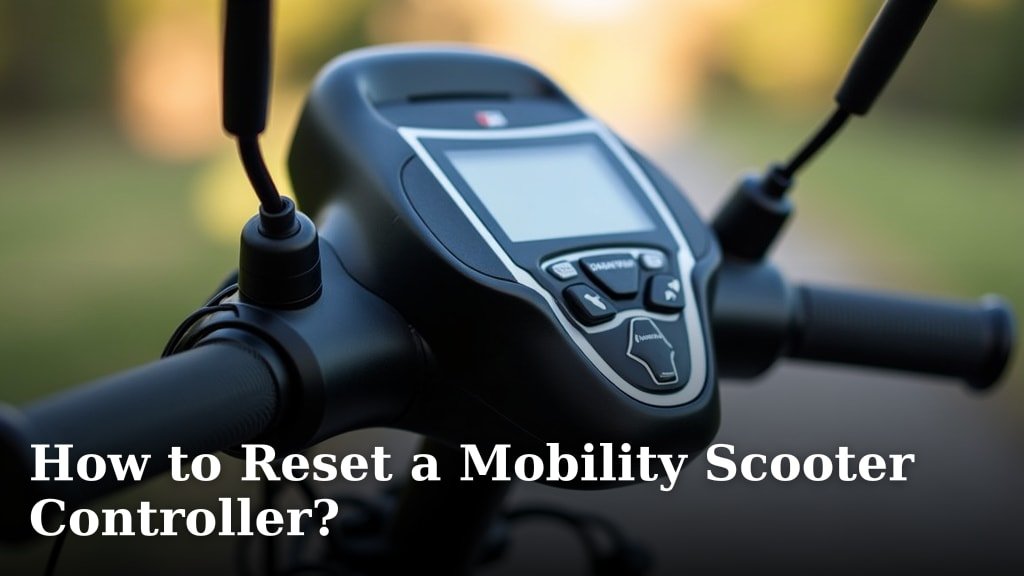
To reset a mobility scooter controller, you typically turn the scooter off, wait a few seconds, and then turn it back on. This simple power cycle often clears minor glitches and restores normal operation for your mobility scooter controller.
Sometimes, your scooter might act a little funny, right? Maybe it stops suddenly or moves inconsistently. We found that a quick reset can often fix these common electronic hiccups without needing a mechanic. It’s like restarting your computer when it misbehaves, offering a fresh start for the scooter’s brain.
- Power cycle fixes many issues.
- Resetting clears minor glitches.
- It’s like restarting a computer.
- A quick fix for inconsistent movement.
Let’s walk through exactly how to perform this reset and troubleshoot common issues you might face with your mobility scooter.
Resetting Your Mobility Scooter Controller
Resetting your mobility scooter controller is often the first and simplest step when something isn’t quite right. Think of it as giving your scooter a fresh start, clearing out any temporary electronic confusion. This process is usually quick and can save you a call to a technician.
Understanding the Power Cycle Reset
The most common type of reset for a mobility scooter controller is a power cycle. This means completely cutting off and then restoring the power supply to the controller. It’s a fundamental troubleshooting step for many electronic devices, including your scooter.
When you perform a power cycle, you’re essentially forcing the controller’s internal systems to restart. This can resolve minor software glitches, clear fault codes, or fix temporary communication errors between different components of your scooter.
Step-by-Step Power Cycle Instructions
Performing a power cycle is straightforward. Here’s how you do it, keeping safety in mind:
- First, ensure your scooter is on a flat, stable surface. You don’t want it rolling away unexpectedly.
- Turn the scooter’s main key switch or power button to the “Off” position. Make sure all lights and indicators are off.
- Next, locate the main battery disconnect. On many scooters, this is a circuit breaker or a manual lever near the batteries. Flip the breaker or pull the lever to cut all power.
- Wait at least 30 to 60 seconds. This allows any residual electrical charge in the system to dissipate. We found that giving it a full minute is often best.
- Reconnect the battery by flipping the breaker back or pushing the lever back into place.
- Finally, turn your scooter’s main key switch or power button back to the “On” position.
- Listen for the usual startup beeps or watch for the display to light up. Try to drive your scooter slowly in a safe, open area to see if the issue is resolved.
This simple sequence often resolves many intermittent problems. If your scooter still isn’t working correctly, it might indicate a more complex issue.
When a Simple Reset Isn’t Enough
While a power cycle can fix many issues, sometimes your scooter needs a bit more attention. If the problem persists after a basic reset, it’s a sign to dig a little deeper. Don’t worry, we’ll guide you through what to look for next.
Checking the Battery Connection
Loose or corroded battery terminals can cause intermittent power issues that mimic controller problems. Always check these connections as a next step. Ensure they are tight and free of corrosion. You might need a wrench to tighten terminals. A wire brush can help clean any build-up.
Inspecting the Circuit Breaker
Most mobility scooters have one or more circuit breakers designed to protect the electrical system from overloads. If a breaker trips, it cuts power to prevent damage. Find your scooter’s circuit breaker(s) and make sure they are pushed in or in the “On” position. Sometimes, a breaker might look “on” but has actually tripped. Try pushing it firmly.
If a breaker keeps tripping, there’s likely an underlying electrical issue, such as an overload or a short circuit. This situation warrants professional inspection.
Examining the Joystick and Wiring
The joystick is your direct interface with the controller. Damage to the joystick or its connecting wires can send incorrect signals. Check the joystick for any visible damage, wear, or stickiness. Also, gently inspect the wiring that runs from the joystick to the main controller for any pinches, cuts, or loose connectors.
We found that sometimes a simple jostle can disconnect a wire, causing unexpected behavior. Ensure all plugs are seated firmly.
Common Mobility Scooter Controller Problems
Understanding common problems can help you decide if a reset is the right fix or if you need to look elsewhere. Many issues can seem like a controller fault but are actually caused by other components.
Symptoms Indicating a Controller Issue
How do you know if your controller is truly the culprit? Here are some symptoms that often point to a controller problem, according to our research and manufacturer guidelines:
- Erratic movement: The scooter might move on its own or accelerate unexpectedly.
- Intermittent power loss: Power cuts out and then comes back without warning.
- Failure to respond to joystick commands: You move the joystick, but nothing happens.
- Jerky or inconsistent speed changes: The scooter doesn’t accelerate smoothly.
- Diagnostic error codes: Many scooters have a display that shows codes when there’s an issue.
If you see these signs, a reset is a good starting point. If they persist, it’s time to consider further investigation.
Differentiating Controller vs. Other Component Issues
It’s easy to blame the controller when your scooter isn’t working. However, many issues can stem from batteries, motors, or wiring. Knowing the difference can save you time and potential repair costs.
| Symptom | Possible Cause | Action |
|---|---|---|
| Scooter doesn’t turn on | Dead batteries, tripped circuit breaker, loose battery connection | Charge batteries, check breaker, tighten connections |
| Scooter moves slowly/weakly | Low battery charge, aging batteries, motor issues | Charge batteries, test battery capacity, consult technician for motor |
| Scooter moves erratically/unresponsively | Controller fault, joystick fault, damaged wiring | Perform power cycle reset, inspect joystick/wiring |
| Scooter makes strange noises | Motor issue, gearbox issue, loose mechanical parts | Listen closely to pinpoint source, consult technician |
| Scooter stops suddenly | Tripped circuit breaker, intermittent wiring fault, controller fault | Check breaker, inspect wiring, perform power cycle reset |
As you can see, several symptoms can point to multiple components. A systematic approach to troubleshooting is key.

Safety First: Before You Reset
Before you start poking around your mobility scooter, it’s crucial to prioritize your safety. Electricity and moving parts can be dangerous if not handled correctly. We want you to stay safe and avoid any accidents.
Essential Safety Precautions
Always keep these safety steps in mind:
- Turn off the scooter completely. Make sure the key is out and the power button is off.
- Engage the freewheel lever (if applicable) to prevent accidental movement while you’re working near the wheels or motor. This disengages the motor from the drive wheels.
- Ensure the scooter is on a level surface to prevent it from rolling or tipping.
- Wear appropriate protective gear, such as gloves, if you’re handling battery terminals.
- Avoid touching electrical components with wet hands.
- If you smell burning or see smoke, immediately disconnect power and do not attempt to reset. Call for professional help.
Knowing When to Call a Professional
While we encourage you to try a simple reset, there are times when professional help is absolutely necessary. Don’t push beyond your comfort level or expertise. Your safety and the longevity of your scooter are paramount.
Call a qualified technician if:
- The problem persists after multiple resets and basic checks.
- You see or smell burning components.
- The scooter displays complex error codes that you can’t understand.
- You’re uncomfortable working with electrical components or don’t know how to access parts safely.
- The scooter is under warranty; attempting repairs yourself might void it.
- You suspect internal motor, battery, or controller damage.
Many manufacturers recommend annual servicing, and a technician can often spot potential issues before they become major problems (Cleveland Clinic).
Conclusion
You now have the knowledge to confidently perform a mobility scooter controller reset. Remember, this simple power cycle can resolve many common issues, saving you time and hassle. We covered how to identify when a reset is needed and what steps to take if it doesn’t solve the problem. Prioritizing safety is always key when troubleshooting your scooter.
Don’t hesitate to investigate further or consult a professional when symptoms persist or if you feel unsure. Your mobility and peace of mind are important. Keep these tips handy for when your scooter needs a quick refresh.
Frequently Asked Questions
How often should I reset my mobility scooter controller?
You don’t need to reset your controller regularly. It’s primarily a troubleshooting step. Only reset it if you experience unexpected behavior, like erratic movement or unresponsiveness.
Can resetting my controller damage my mobility scooter?
No, a standard power cycle reset will not damage your scooter. It’s designed to clear temporary glitches, similar to restarting a computer. Always follow safety precautions when performing any checks.
What’s the difference between a reset and turning the scooter off and on normally?
A full power cycle reset involves disconnecting the main battery, usually via a circuit breaker. This ensures all residual power drains from the system, giving the controller a truly fresh start. Simply turning the key off might not fully clear all electronic memory.
Will resetting fix all mobility scooter problems?
While a reset fixes many minor electronic glitches, it won’t solve mechanical issues, dead batteries, or serious electrical faults. If problems persist, it’s a sign to look deeper into other components or seek professional help.
Where is the circuit breaker usually located on a mobility scooter?
The circuit breaker is often found near the batteries, sometimes under the seat or in the battery compartment. It usually looks like a small button or lever. Check your scooter’s manual if you can’t locate it easily.